Singpass Face Verification
Improved inclusivity and redesigned experience to increase success rates by 10%.
Role
Product Designer
Duration
5 months
Outcome
10% improvement in success rates
Background
Singpass Face Verification (SFV) enhances security for high-risk transactions such as setting up Singpass app and editing CPF withdrawal limits. However, high dropout rates and user complaints highlighted usability concerns. Before expanding SFV to more high-risk transactions, the design team urgently investigated user sentiments to identify critical design improvements.
Problem 1
Face Verification drop-outs prevent users from completing high-risk transactions like editing CPF withdrawal amounts.
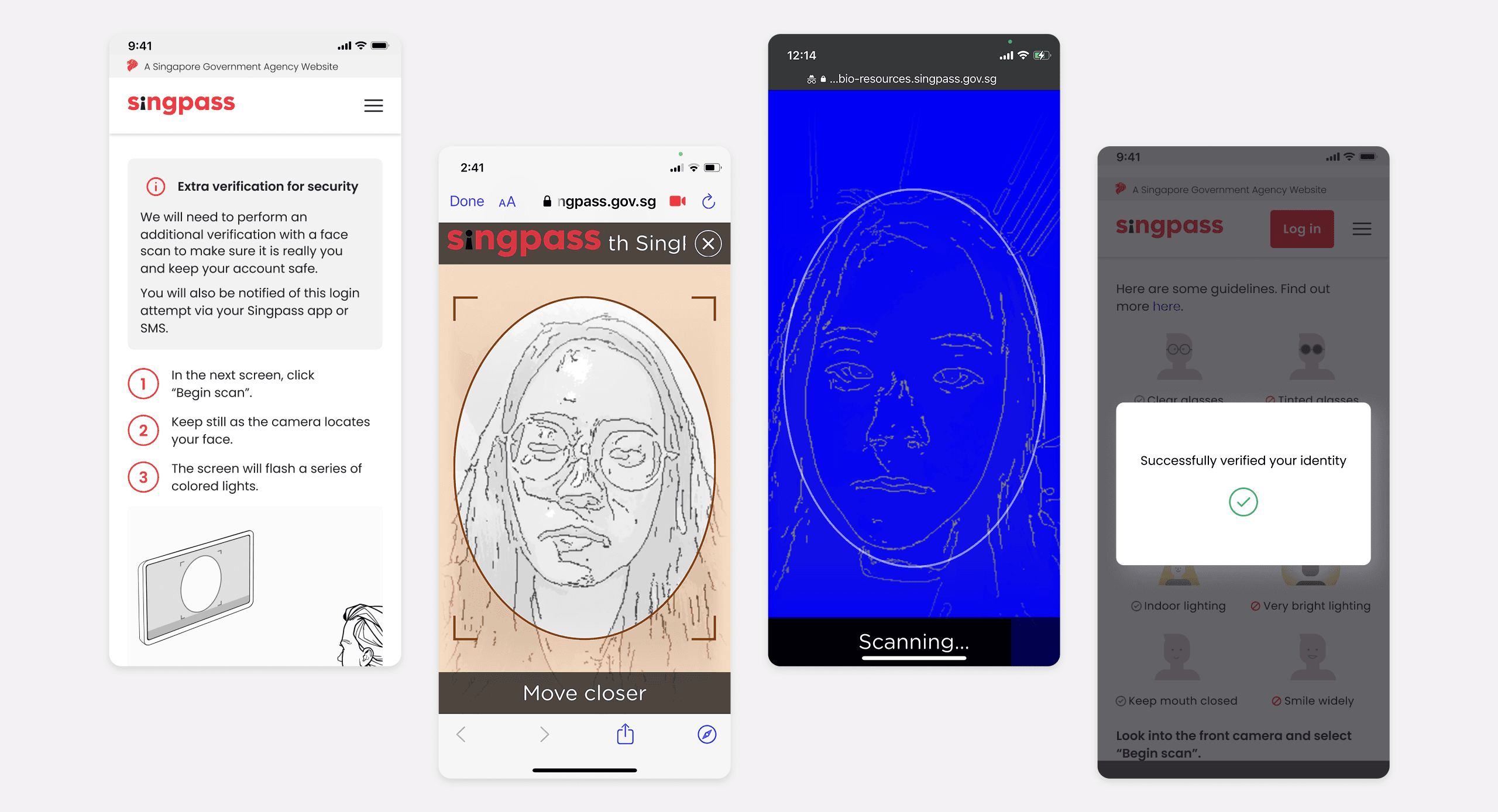
Existing Step Up Face Verification flow
Research Objectives
We conducted user interviews with 15 users to learn more about:
· How users feel about Singpass Face Verification (SFV)
· How users feel about the need for extra authentication
· What is the effectiveness and timeliness of our existing designs (i.e. messaging, content, illustrations)
Who we spoke to
Age group
Self-rated tech savviness
How often do you use Singpass?
Key Research Findings
7 out of 15 completed Singpass Face Verification
6 out of 15 did not complete
- ·Mask covering mouth
- ·Changes in facial features
- ·Stuck while scanning face
2 out of 15 did not participate
- ·Discomfort about face scanning
Overall experience
12 out of 15 participants expressed neutral-negative emotions.
“Surprisingly quite fast and easy.”
-P05
“Easy - just a little bit lengthy, but good because it's 2nd layer of protection..”
-P06
“[It is] black & white, and flashing lights really put me off..”
-P14
“[I see Face Verification] I will bypass it, I will cancel the whole thing.”
-P04
Concerns about Singpass Face Verification
This project was done in 2023, and not all concerns could be addressed through design alone. Some issues stemmed from communication gaps, engineering constraints, and broader service limitations. (More details can be shared in person.)
Inconvenience
Face scan takes longer than other login methods such as SMS OTP.
Uncertainty
Users felt anxious and unsure of what is happening behind Face Verification.
Reliability and troubleshooting
Scans may fail or behave unpredictably over and over again.
Design improvements
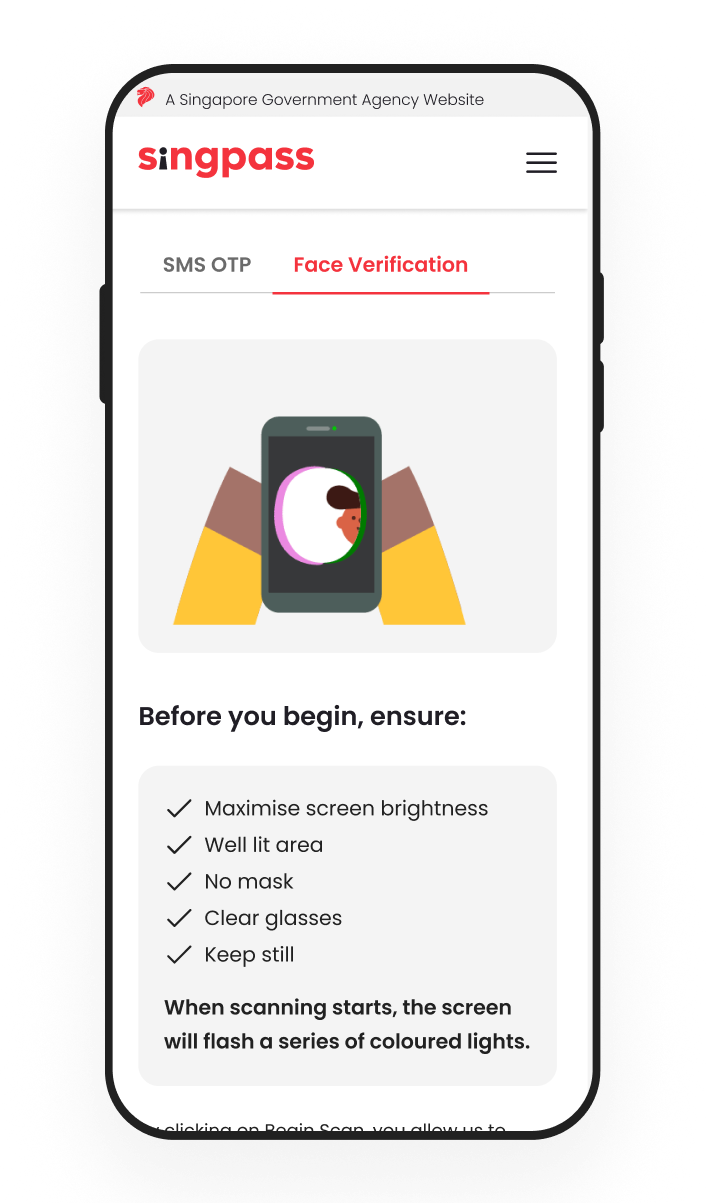
To reduce inconvenience and uncertainty of Face Verification, we replaced wordy do's and don'ts with a demonstration GIF to set scan expectations and prepare users for visual cues.
Before
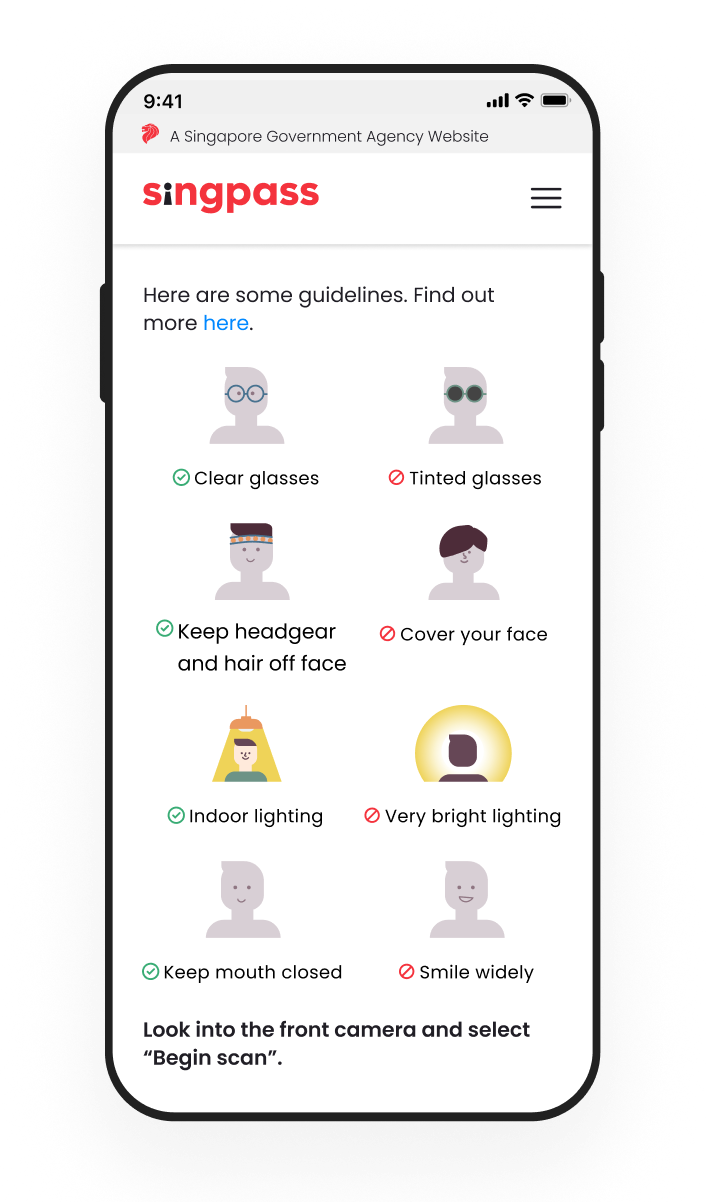
After
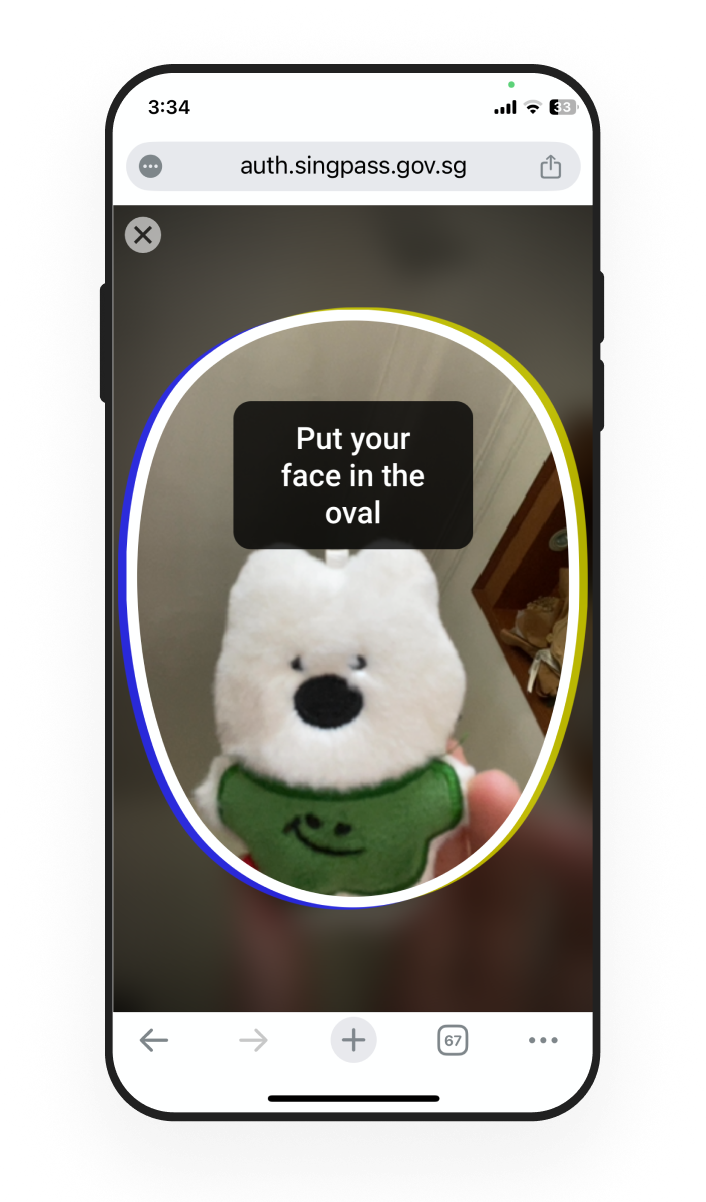
We also removed the black and white filter while scanning.
9/15
participants
Not seeing their face was shocking. They hope to see their face while scanning as much as possible.
Removing the filter also allows users to correct any lighting issues on the spot and increases probability of a successful scan.
Before
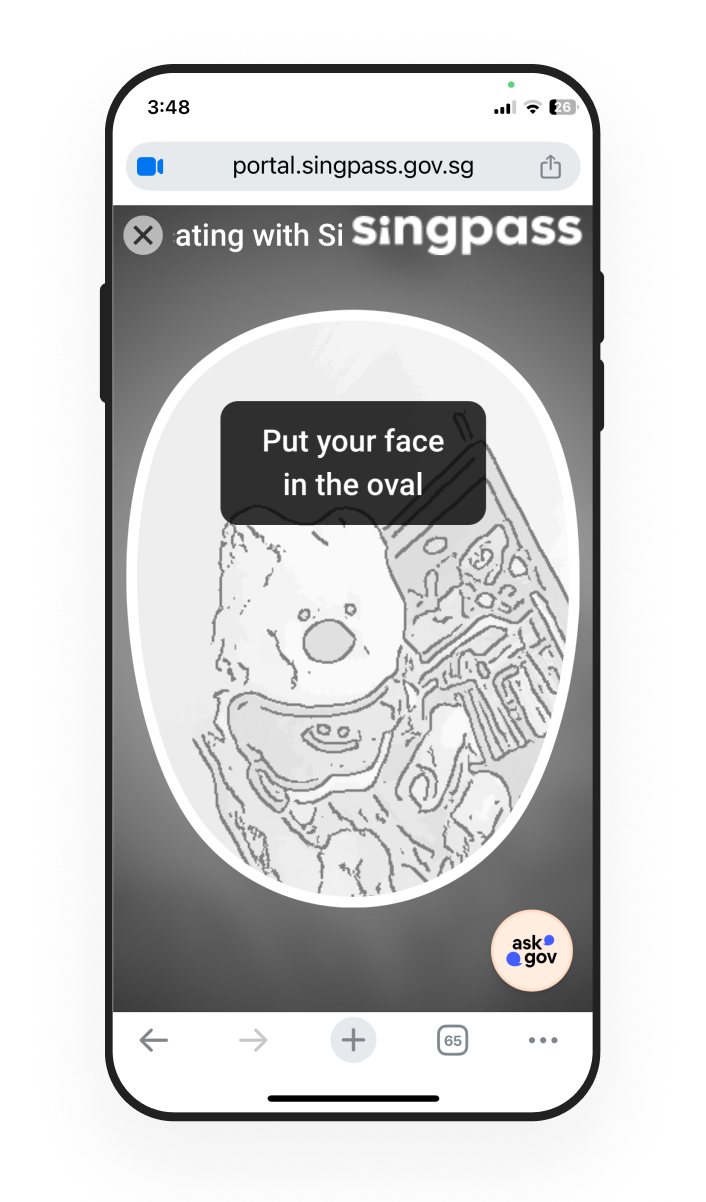
After
Problem 2
Face Verification is not accessible for visually impaired users, leading to weekly escalated helpdesk tickets.
Context
Visually impaired users struggled with Face Verification during Singpass app setup.
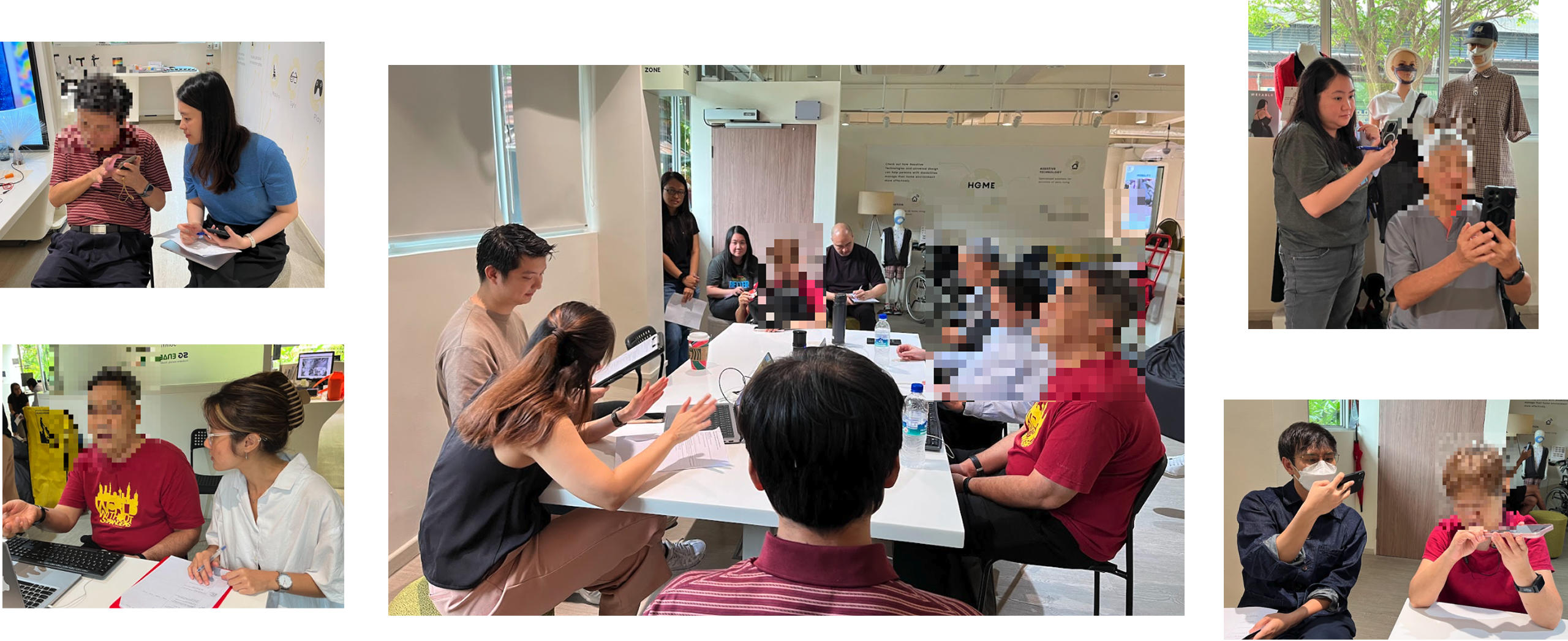
As sighted users, we struggled to understand why VI users faced challenges with Face Verification despite VoiceOver/TalkBack. To gain deeper insight, I collaborated with a GovTech Accessibility team colleague to organize a focus group discussion to empathise usability challenges better and learn more about workarounds.
Research method
I led a focus group with 5 visually impaired users with varying Face Verification experiences and outcomes.
Collaboration across teams
I rallied designers and product managers across Singpass division to be sub-moderators in the session. This allows them to experience interviewing and empathising with visually-impaired users.
My greatest takeaway is getting to see in real life how visually impaired users interact with SFV, it really requires a lot of patience.
— Product manager of Singpass app
Usability gaps
Lack of precise audio feedback while scanning
Scan starts too quickly. User moved while the scan is in progress.
Design solution
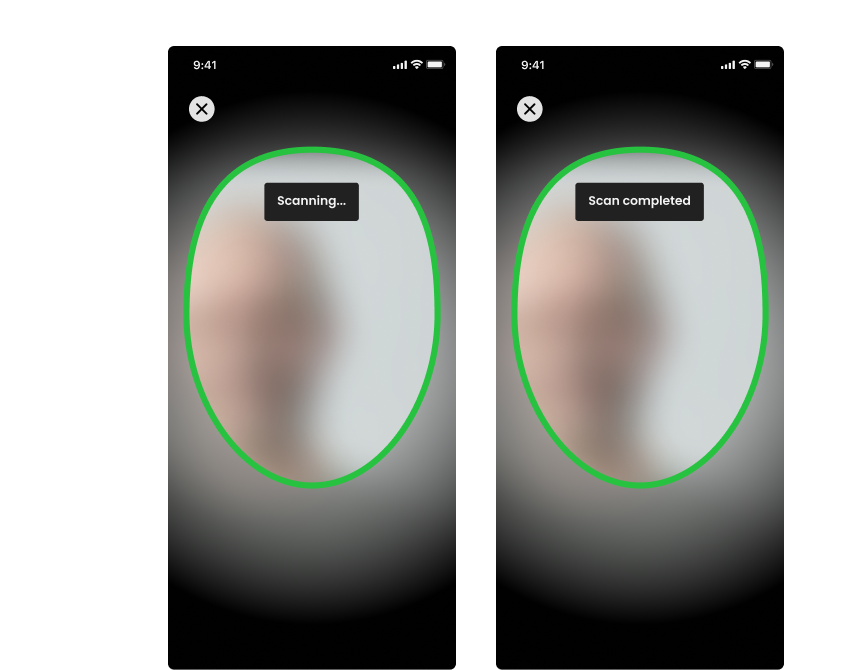
I proposed an audio feedback diagram to provide more guidance for visually impaired users.
Begin scan
🔊Position face
"Hold device in front of your face"
"Face is not in the frame. Move your face to the right"
"Face is now in the frame" (Haptic feedback)
"Hold still"
Trigger scan
"Scanning"
"Scan is complete"
Results
"Scan is successful"
"Scan has failed, try again"
Design improvements
Before
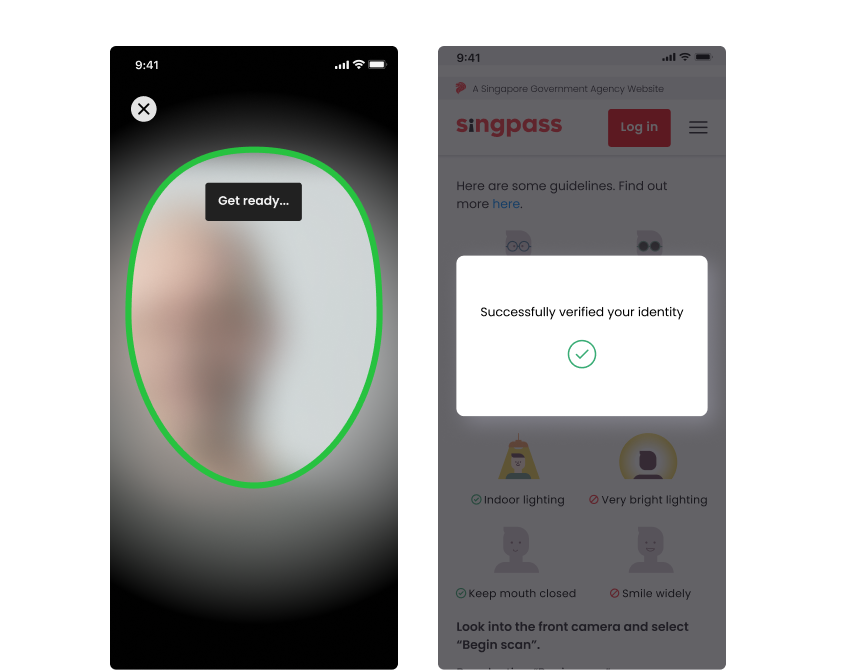
After
Outcome
Raised face verification success rates from 80% to 90%
Through audio-guided prompts for visually impaired users.
Introduced 'Scanning' and 'Scan completed' audio cues
Helped users stay still during scans, directly improving success rates.
Fostered accessibility-first culture
Engaged 4 designers and 3 PMs in understanding visually impaired user needs, driving more inclusive decisions across Singpass.