Passkeys
Increased security of Singpass logins by leading the design of phishing-resistant passkey authentication, targeting 50% nationwide adoption within 3 months of launch.
Role
Design lead
Duration
Initial explorations: 6 monthsDesign to hand-off: 6 months
Outcome
50% nationwide adoption target
Introduction
Passkeys are a safer, passwordless way to log in. They use public-key cryptography, where a private key is stored securely on your device and is tied to a specific website. This means passkeys only work with the real Singpass site, not lookalike phishing sites. Compared to current Singpass login methods, passkeys offer much stronger protection against phishing.
Problem
In 2024, there were 600 phishing cases through Singpass login to other government services. To eliminate phishing in Singpass logins, implementing phishing-resistant passkeys as a form factor increases the baseline security of Singpass logins as a whole.
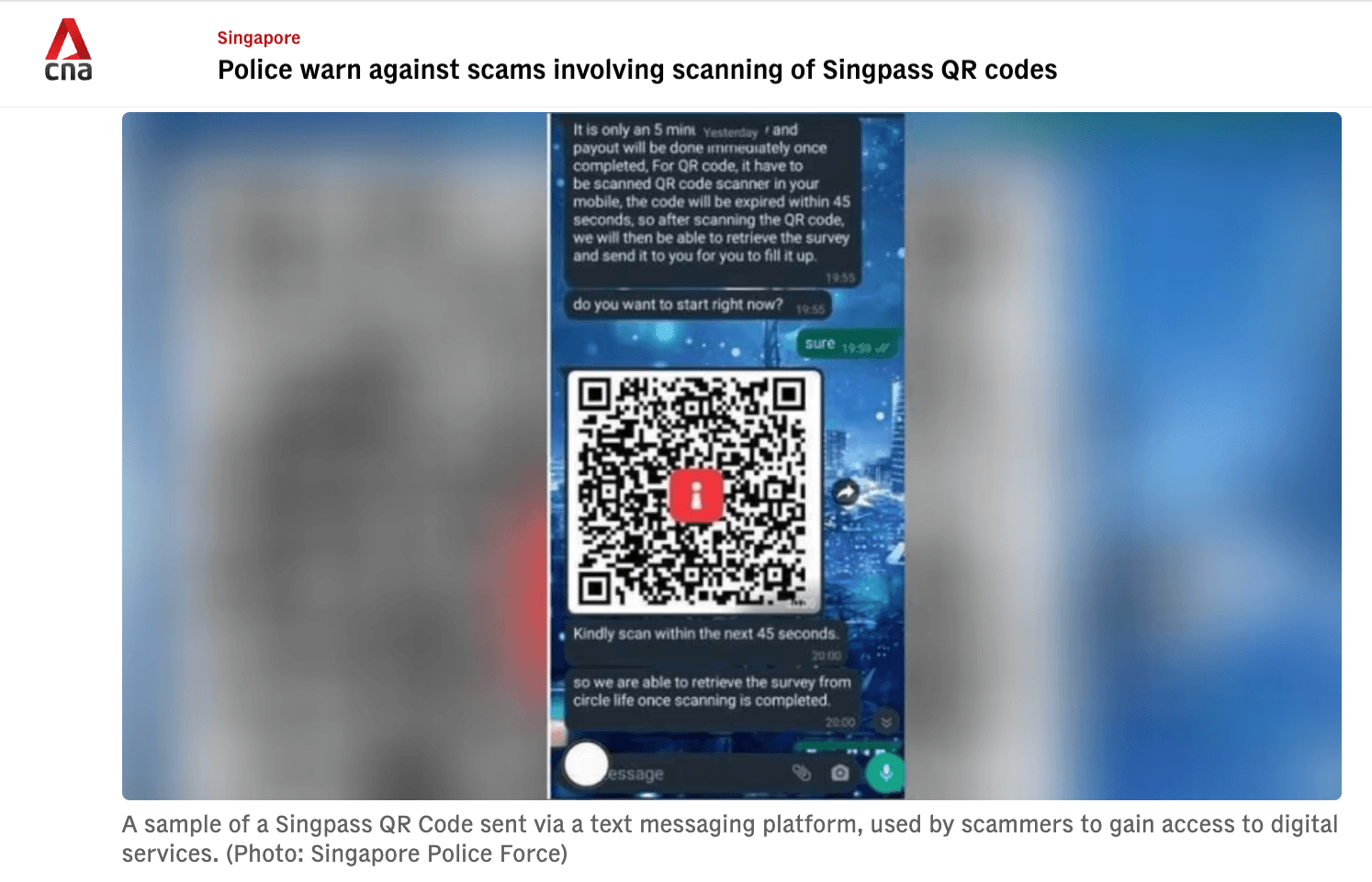
Phishing threat: Fake Singpass QR codes sent via messaging platforms to steal user credentials (CNA, 2024)
Passkey Evolution
Our approach to passkeys evolved significantly over two years as we balanced security requirements, platform constraints, and user experience goals.
2024
Explored building passkey as a native authenticator, investigating how passkeys could be deeply integrated into the Singpass app as a first-class authentication method.
2025
Converged on device-bound passkey, a stronger approach that hardened the integrity of Singpass 2FA logins and further raised the baseline against phishing.
2024
We explored passkey on native authenticators (using passkeys stored on iCloud Keychain and Google Password Manager). We brought these designs to critique sessions with designers and key stakeholders to build alignment and surface concerns early. At the time, engineering and product were still evaluating technical feasibility, so we used design as a tool to push the conversation forward and create a shared vision.
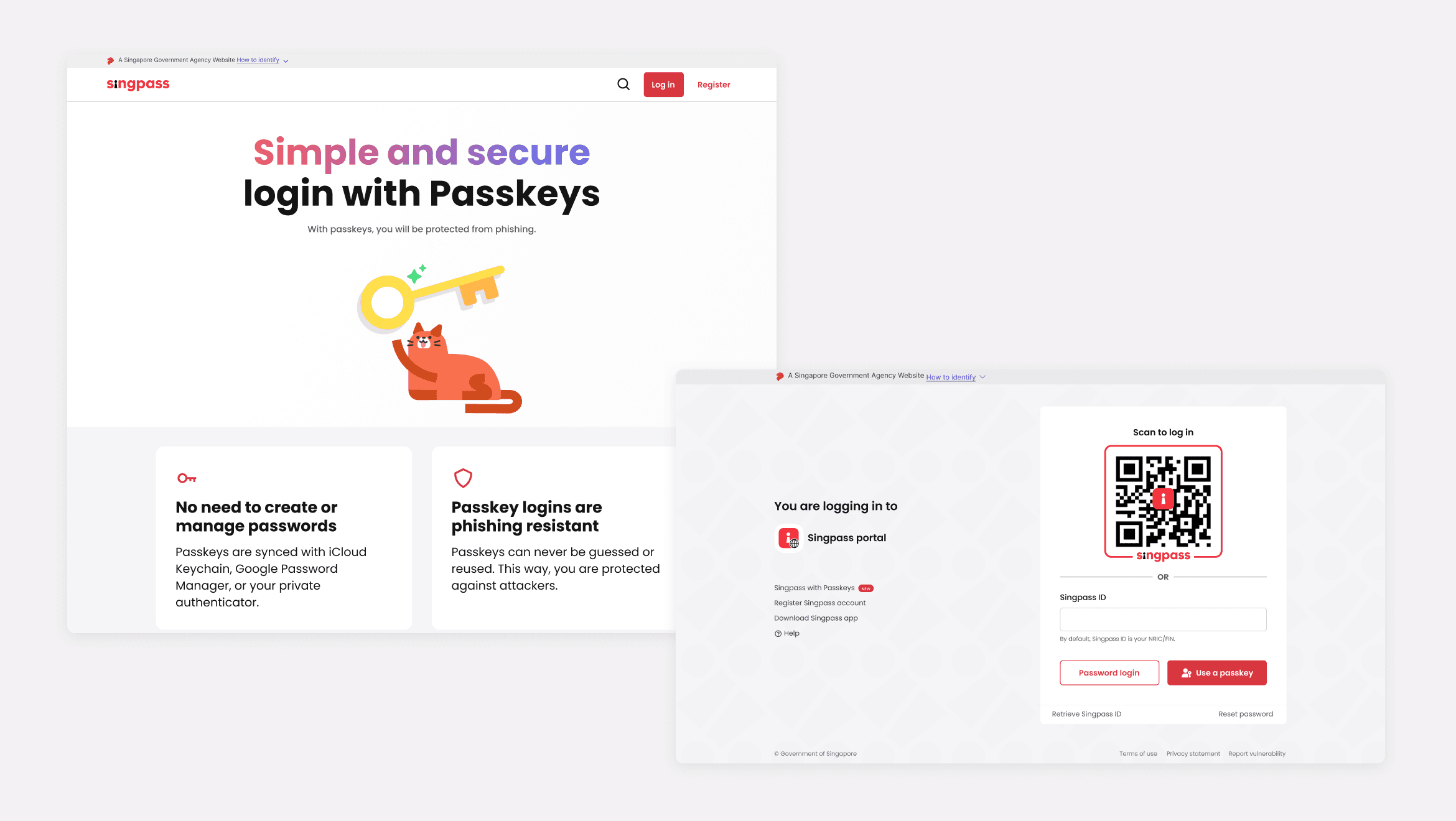
Passkeys landing page and new login page
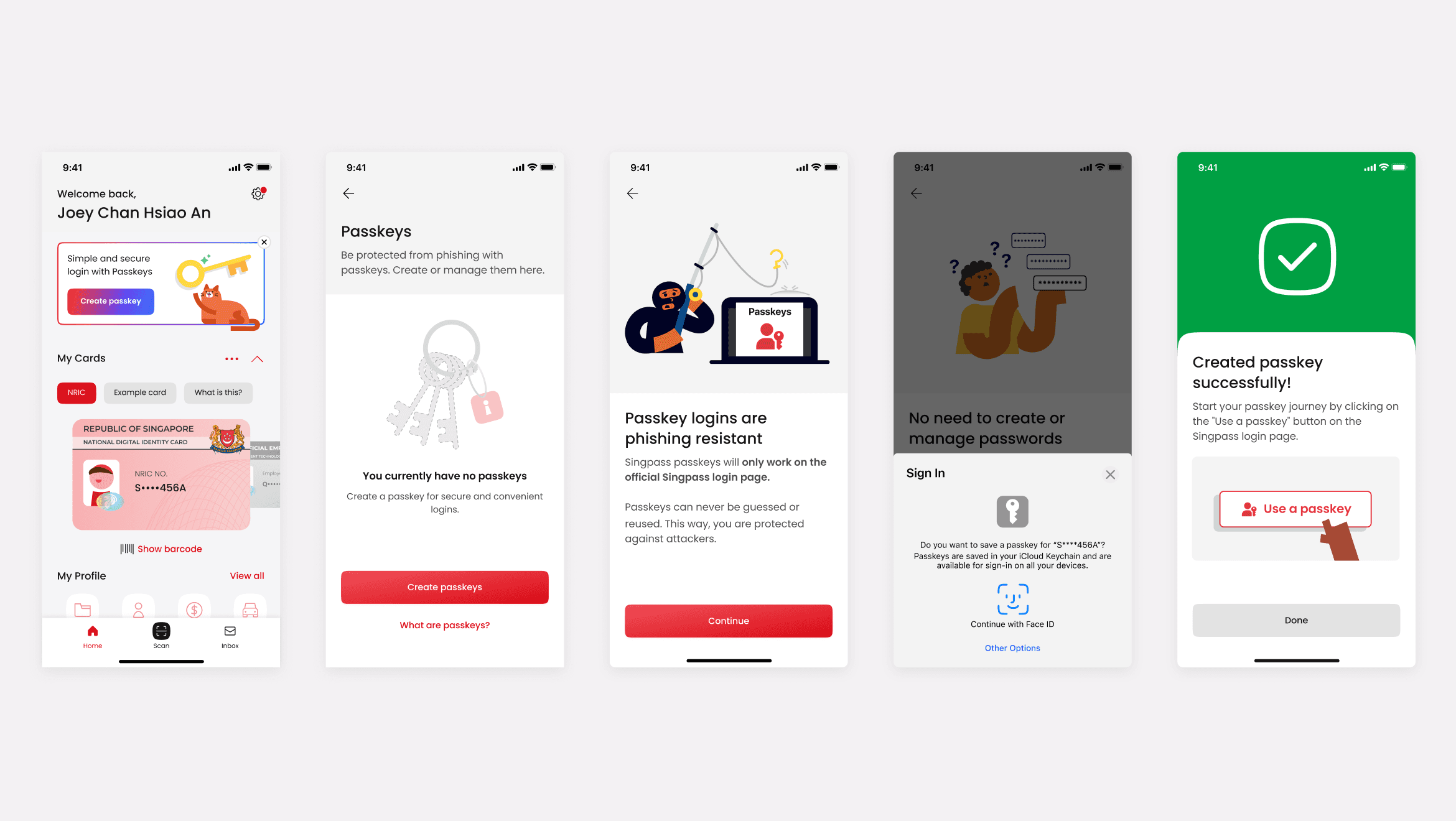
Create passkeys on Singpass app
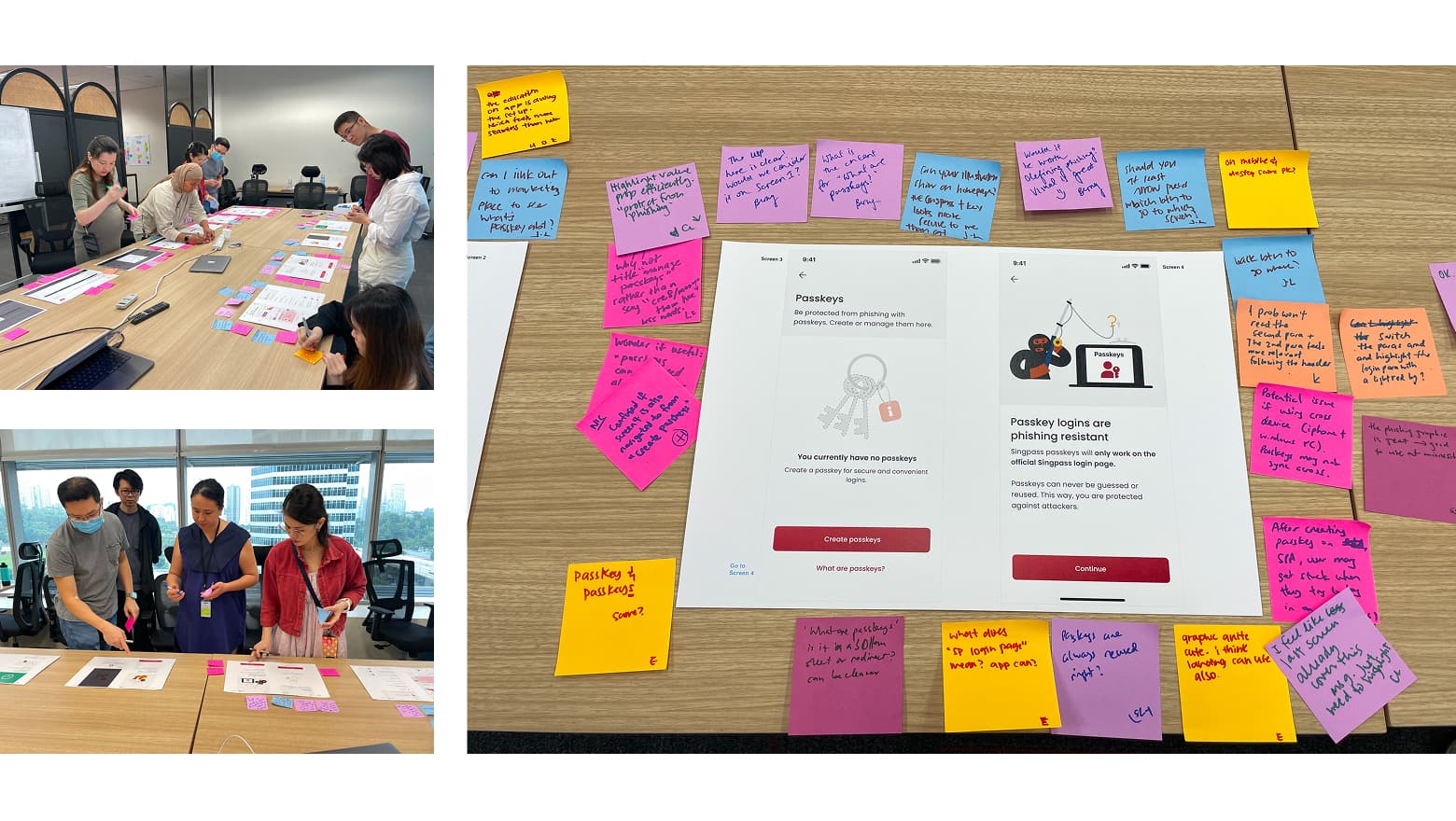
Design crit with designers and stakeholders
Key finding: Convenience hooks, security comes later
In parallel, we ran a survey with 600 Singaporeans and learned something critical: users chose QR code login because it was the easiest and fastest, not because it was secure. Security was the least of their concerns. This insight became foundational. It showed us that convenience and speed, not security messaging, would drive passkey adoption.
600
Singaporeans surveyed
Users chose QR code because it was fast and easy. Security wasn't the reason.
Key finding: No passkey button, no discovery
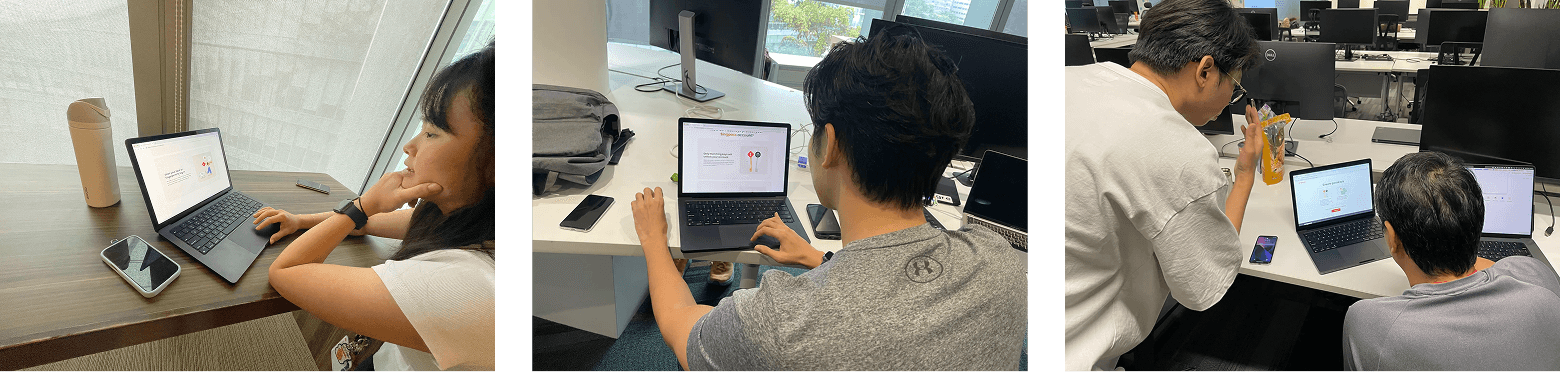
Guerrilla testing at GovTech
We tested an autofill-only approach (suggested by our Head of Engineering) through guerrilla testing at GovTech. The results were clear: users never discovered their passkey after creating it. Their mental model was to scan the QR code, not click the password field where autofill would trigger. Autofill alone wasn't discoverable enough for adoption.
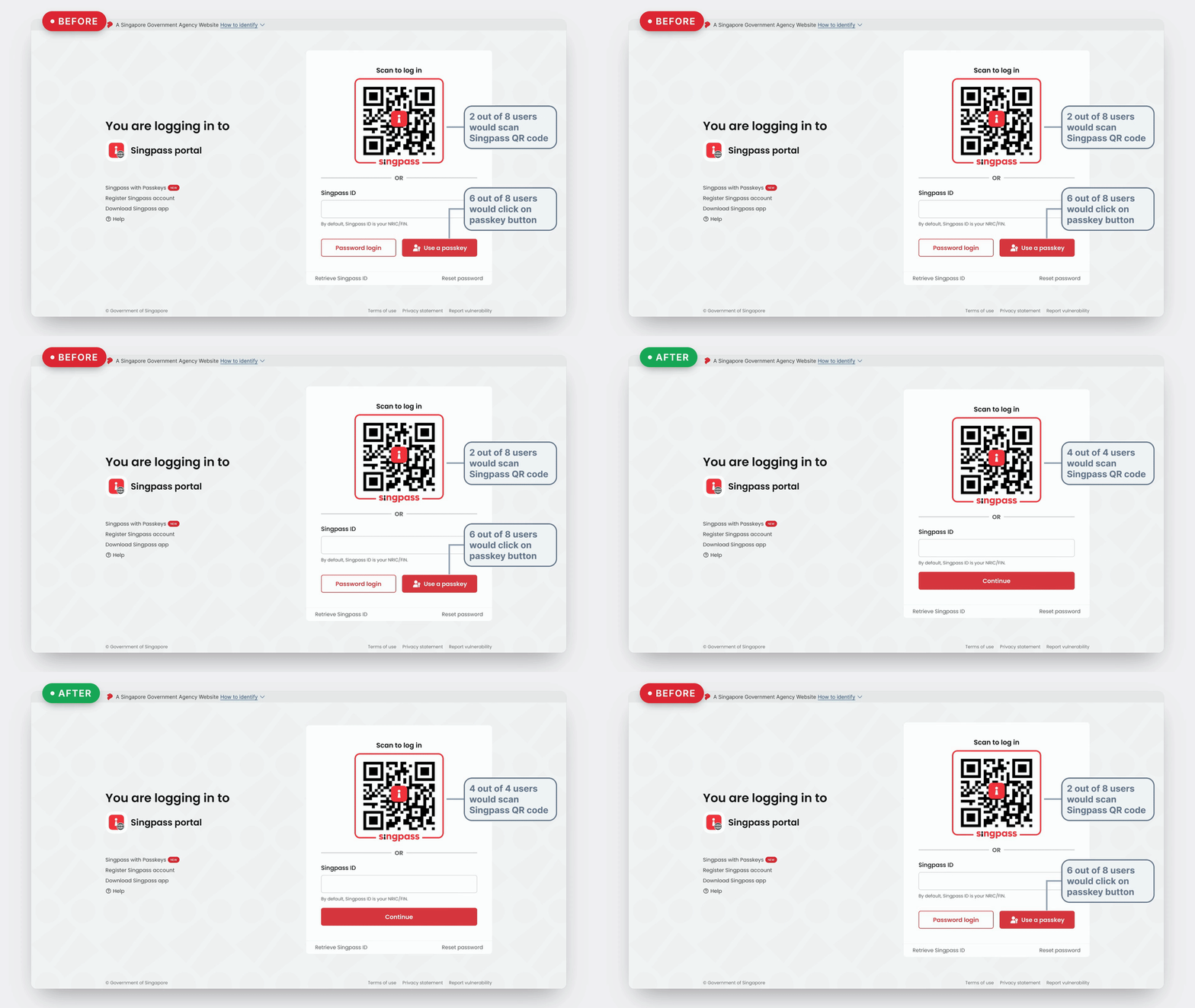
Guerrilla testing results: autofill vs. dedicated passkey button
Pivoting to Device-Bound Passkeys
Native authenticators like iCloud Keychain and Google Password Manager are sharable: anyone with access to a user's cloud account can use their credentials, breaking the "something you have" principle of 2FA. In mid-2025, we pivoted to device-bound passkeys stored locally in the Singpass app.
Trade-off
↓ Seamless cross-device login
Rationale
94%of logins happen on the same device
Orchestrating Cross-Platform Rollout
I coordinated design strategy across iOS, Android, and web teams to introduce passkey into Singpass's login ecosystem (more details shared in-person). I delivered comprehensive handoffs accounting for platform-specific patterns, responsive breakpoints, and accessibility requirements.
Outcome
Delivered Singpass's largest feature in 6 years
Led passkey authentication from research through design handoff, aligning cross-functional teams and stakeholders throughout the process for nationwide launch.
Built confidence for nationwide rollout through rigorous research
Conducted multiple rounds of user research (surveys, interviews, usability testing) that shaped product strategy and shifted launch messaging from security-first to speed-first.
Redesigned complex authentication systems across platforms
Mapped and improved login flows across iOS, Android, and web, reducing the 60% of users hitting additional verification steps while integrating passkey into Singpass's broader login ecosystem.